
Overview
UI illustration and animation have become some of my favorite passions. From collaborating with UX/UI designers on client projects to creating motion designs for Start Up, the largest student-run design competition on campus, I’ve loved bringing playful little animations to life. Whether it’s onboarding flows or advertising pieces, each project teaches me something new about user experience, interaction, and design…and it’s always a bonus when there’s a cute character in the frame.
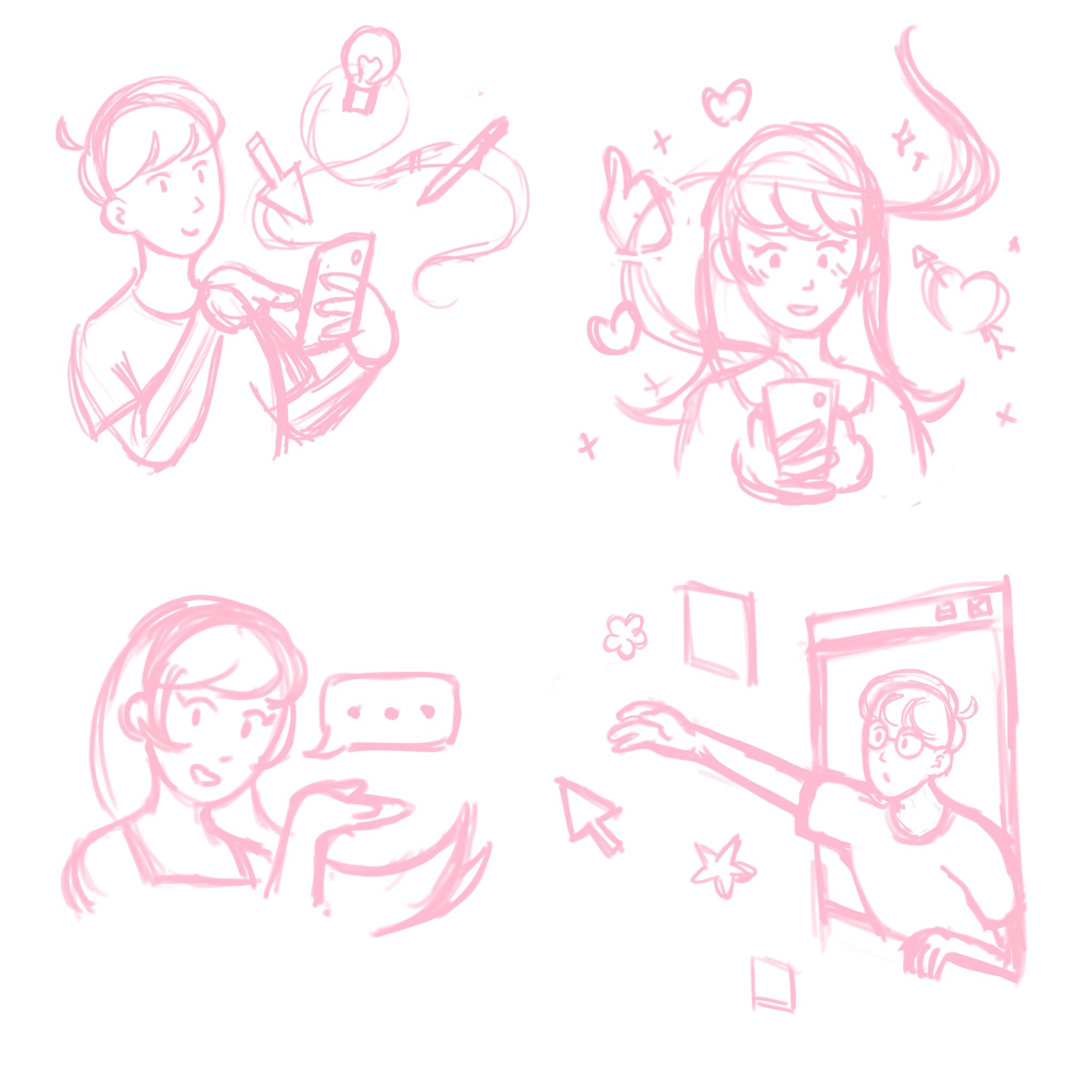
My process usually starts in Procreate, where I sketch and decide how I want my character to look. From there, I determine whether to continue illustrating in Procreate or switch to Adobe Illustrator to build vector shapes. For this particular project, I was able to complete the illustration in Procreate, keeping each element on separate layers so I could export a Photoshop file directly into After Effects.
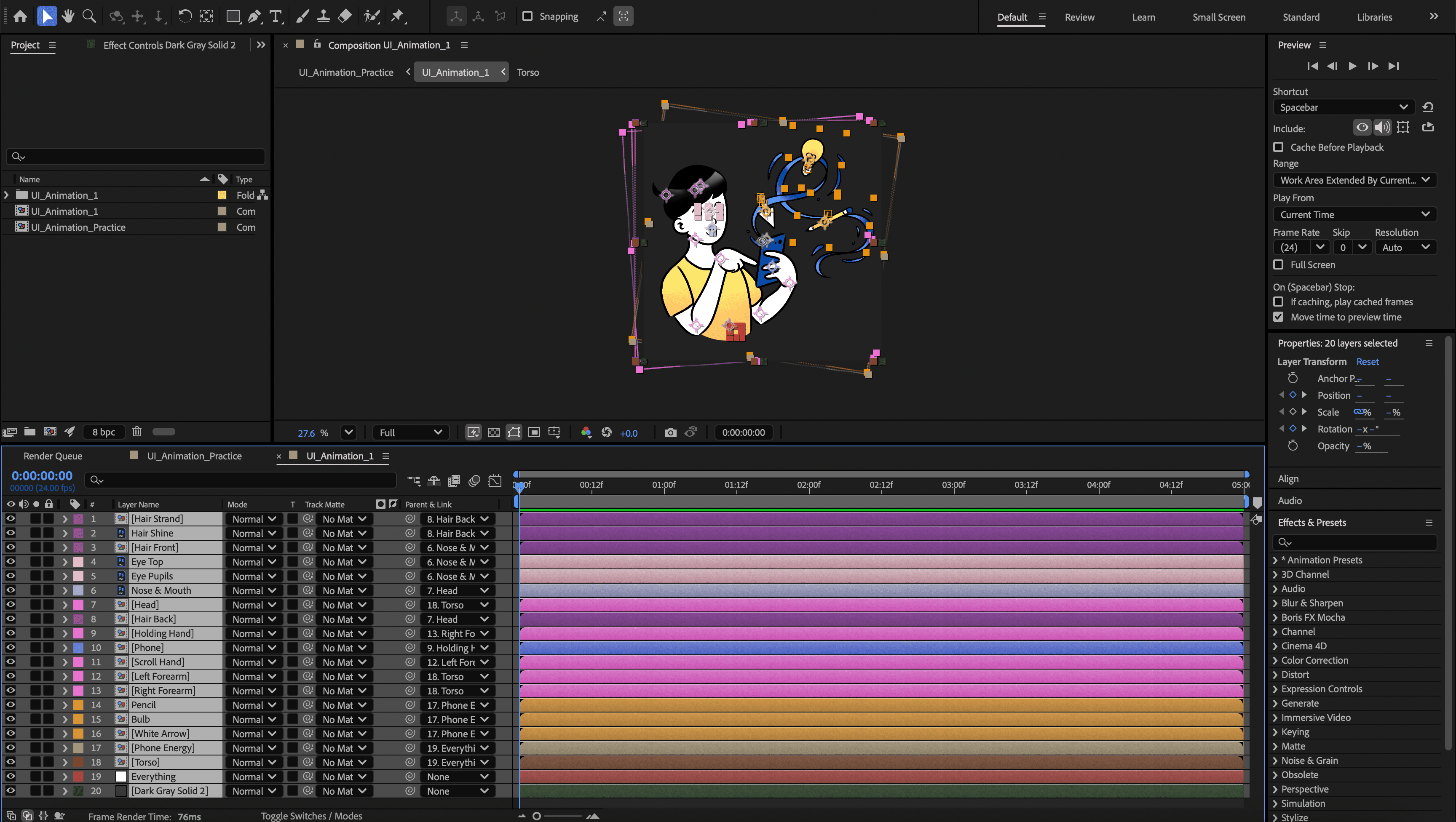
Once I’m in AE, I rename and organize all the layers, adjust anchor points, and prep everything for realistic motion. I typically animate from the biggest body parts down, starting with the torso, then moving to smaller details like hands and fingers. This specific animation, from illustration to final render, came together in just one day.
My animation approach depends on the complexity of the illustration. Simpler designs usually rely on parenting and rotation keyframes, while others require more intricate techniques, like using the Puppet Tool to add subtle movement and depth. In this case, I mainly used position and rotation keyframes, but added a puppet pin to the finger so it truly felt like the character was scrolling and tapping the phone.
My favorite parts to animate? The face and hair, of course! Getting those right adds personality, depth, and a sense of realness that brings the whole character to life.
Client
Personal Project
Year
2025
Final Designs

Process